Skip to main content Open Assistant Open Assistant Head to Head Standalone | Engagement Tools | API Hub
Engagement Tools Widgets, Engagement Tools, BET
Last updated 4 months ago
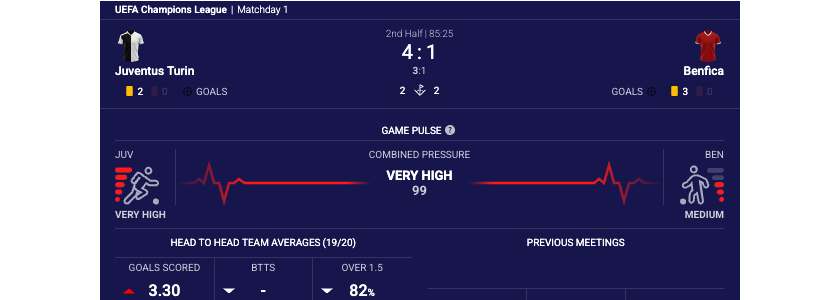
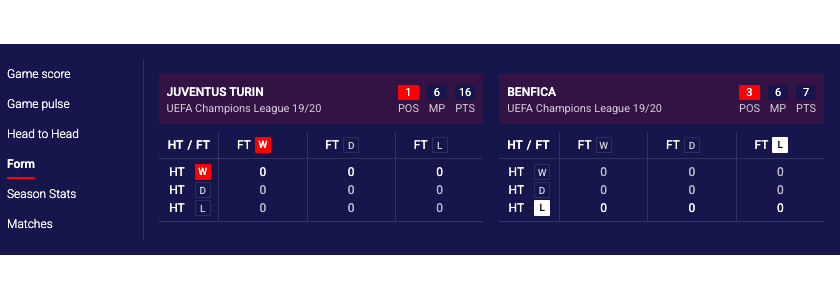
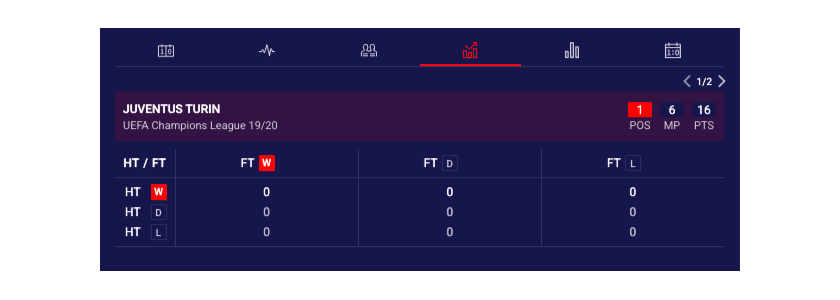
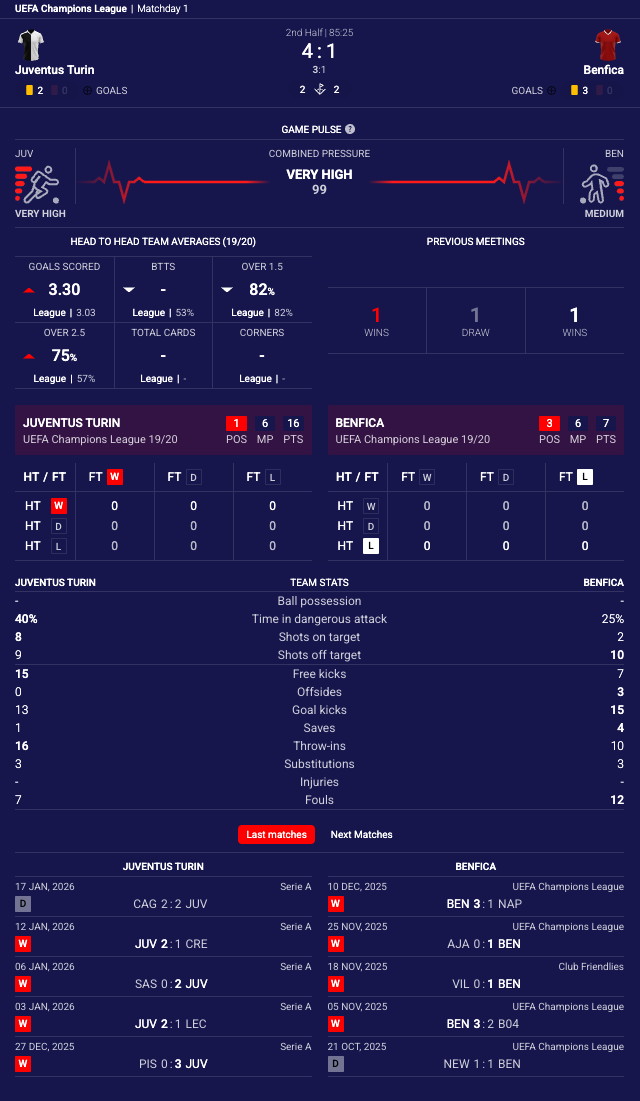
Is this site helpful? Head To Head Standalone widget displays comprehensive pre-match and live match statistics in a full-featured, always-visible format without requiring button interaction. Optional inline display mode presents statistical data within tabs to use less space. The widget presents detailed statistical analysis including game pulse momentum, head-to-head records, team form, season statistics, and recent matches in a responsive layout that adapts from single-column to two-column display based on available width. Designed for dedicated statistics pages, match detail sections, or sidebar placements where continuous access to match analytics enhances user engagement, the standalone widget provides the same rich data visualization as the button variant but in a persistent, immediately accessible format.
Head to Head Standalone Overlay Layout
Head to Head Standalone Inline Layout (wide)
Head to Head Standalone Inline Layout (narrow)
Previous slide Next slide
See the Head To Head Standalone widget demo .
# Supported Content and Environment# Required ParametersRequired identifiers:
widget-name : headToHead.standalonematchId : The Sportradar match identifier. See Getting Identifiers
Environment Requirements
Technical Requirements:
JavaScript enabled
XMLHttpRequest support for data fetching
CSS3 support for styling and animations
Supported Sports
American Football NFL only (including NCAA)
Aussie Rules
Badminton
Baseball & MLB
Basketball & NBA (including NCAA)
Beach soccer
Beach Volleyball
Cricket
Darts
Futsal
Handball
Ice Hockey & NHL
Pesapallo
Rugby (League & Union)
Snooker
Soccer
Squash
Table Tennis
Tennis
Volleyball
Waterpolo
# Main Configurable FeaturesThe standalone widget provides flexible display modes and content customization.
Overlay Layout
Inline Layout
Custom Components Order
See the Head To Head Standalone demo for live examples.
# API Reference# Game Pulse IconsHead to Head is available with three icons sets by default.
Game Pulse Icon Version 1 (Default)
Game Pulse Icon Version 2
Game Pulse Icon Version 3
Custom Game Pulse Icon set
# Components Identifierscomponents property is an object with sport IDs as keys and arrays of strings (tab identifiers) as values.
javascript
{ default : [ "headtohead" , "form" , "teamstats" , "lastmatches" ] , 1 : [ "gamepulse" , "headtohead" , "form" , For every sport you can:
re-order components/tabs by changing order of strings in array,
disable components/tabs by removing specific strings from array
Invalid component IDs are automatically filtered out.
# Examples
Simplified notation
Full object notation
To set same config for all sports, the simplified notation can be used:
See Head to Head Custom Components Order Guide for detailed examples.
# Integration ExamplesProperties do not always transfer from the above table directly into integration code. Properties must be transformed differently for each integration method:
JavaScript/Programmatic Integration
Property names remain unchanged in camelCase
Properties become members of the 4th parameter object in SIR() call
Example: cardVariant: "compact"
In javascript integration, the properties go into an object which is passed as the 4th argument of the call ti SIR() function. Please see Global SIR API
HTML/Declarative Integration
Convert camelCase to lowercase with dashes, e.g. cardVariant becomes card-variant
Add data-sr- prefix
Example: cardVariant → data-sr-card-variant
In all examples replace sportradar in the widgetloader URL path with your clientId.
Example if your clientId is client1:
This URL: https://widgets.sir.sportradar.com/sportradar/widgetloader
becomes: https://widgets.sir.sportradar.com/client1/widgetloader
# JavaScript (Programmatic)Initialize the widget programmatically using the JavaScript API. The widget renders in the specified container element.
Overlay Layout
Inline Layout
Custom Components Order
# HTML (Declarative)Insert the following HTML code at the target widget location.
Overlay Layout
Inline Layout
Custom Components Order
javascript
{ layout : "overlay" // Default, two-column when width > 580px } Optimal for wider containers. Displays statistics in two-column layout when sufficient width is available (580px+), automatically switching to single-column on narrower displays.
Property Type Required Default Description matchIdnumberYes - Sportradar match identifier. See Getting Identifiers layoutstringNo "overaly"Display mode for statistics content. "overlay": Responsive layout, two columns when width exceeds 580px, single column below"inline": Layout with fixed height and with tabbed navigation. disableScoreboardbooleanNo falseWhen true, hides the scoreboard tab. Useful when match score is displayed separately on the page showLastMeetingsbooleanNo falseDisplay last meetings section in head-to-head tab with detailed match history showSimpleFormbooleanNo falseUse simplified team form display instead of detailed match-by-match results. Shows win/draw/loss indicators only showGamePulsebooleanNo trueInclude Game Pulse momentum visualization tab. When false, Game Pulse tab is hidden from interface gamePulseIconVersionnumberNo 1Version of Game Pulse visualization design.1, 2, 3Game Pulse Icons for more information. gamePulseIconSetobjectNo See Game Pulse Icos Used to set custom match pulse icons. Value for each icon should contain URL pointing to the desired icon. statisticsEnableMatchStatsbooleanNo trueEnable match-specific statistics tabs. When false, hides match-level statistical comparisons statisticsEnableSeasonStatsbooleanNo trueEnable season statistics tabs. When false, hides season-level team statistics componentsobject | arrayNo See Components identifiers Configuration object defining which components to display and their order. s5ClientAliasstringNo - S5 client alias to be used for direct link to additional statistics (on S5 solution). Required for "More Stats" button to function. enableShowMorebooleanNo falseWhen true, displays the "More Stats" button that links to detailed statistics on the S5 Statistics Centre.
javascript
{ gamePulseIconVersion : 1 } "teamstats"
,
"teamstatsmatch"
,
"lastmatches"
]
,
// soccer
2 : [ "headtohead" , "form" , "teamstats" , "lastmatches" ] , // basket
3 : [ "headtohead" , "form" , "teamstats" , "lastmatches" ] , // baseball
4 : [ "headtohead" , "form" , "teamstats" , "lastmatches" ] , // ice hockey
5 : [ "headtohead" , "form" , "teamstats" , "lastmatches" ] , // tennis
6 : [ "headtohead" , "form" , "teamstats" , "lastmatches" ] , // handball
12 : [ "headtohead" , "form" , "lastmatches" ] , // rugby
13 : [ "headtohead" , "form" , "teamstats" , "lastmatches" ] , // aussie rules
16 : [ "headtohead" , "form" , "lastmatches" ] , // american football
19 : [ "headtohead" , "teamstats" , "lastmatches" ] , // snooker
20 : [ "headtohead" , "lastmatches" ] , // table tennis
21 : [ "headtohead" , "form" , "teamstats" , "lastmatches" ] , // cricket
22 : [ "headtohead" , "form" , "teamstats" , "lastmatches" ] , // darts
23 : [ "headtohead" , "form" , "lastmatches" ] , // volleyball
26 : [ "headtohead" , "form" , "teamstats" , "lastmatches" ] , // waterpolo
29 : [ "headtohead" , "form" , "teamstats" , "lastmatches" ] , // futsal
31 : [ "headtohead" , "lastmatches" ] , // badminton
34 : [ "headtohead" , "form" , "lastmatches" ] , // beach volleyball
37 : [ "headtohead" , "lastmatches" ] , // squash
60 : [ "headtohead" , "form" , "lastmatches" ] , // beach soccer
61 : [ "headtohead" , "form" , "teamstats" , "lastmatches" ] , // pesapallo
137 : [ "headtohead" , "form" , "teamstats" , "lastmatches" ] , // esport: E-soccer
153 : [ "headtohead" , "lastmatches" ] , // esport: E-basketball
195 : [ "headtohead" , "lastmatches" ] , // esport: E-ice hockey
}
Scoreboard component/tab is always positioned first and can not be re-ordered. Additionally, scoreboard component/tab can not be removed using components property. Use disableScoreboard property instead to remove scoreboard.
components : [ 'headtohead' , 'form' , 'teamstats' , 'lastmatches' ]
Example: filters.sport.hidden → Complex objects must be passed as JSON strings
In HTML integration, the properties go into the parent HTML object as object properties, prefixed with data-sr- as explained above.
Only base property support
This method supports only simple (base) properties and does not support properties that require functions.
In all examples replace sportradar in the widgetloader URL path with your clientId.
Example if your clientId is client1:
This URL: https://widgets.sir.sportradar.com/sportradar/widgetloader
becomes: https://widgets.sir.sportradar.com/client1/widgetloader
javascript
( function ( a , b , c , d , e , f , g , h , i ){ a[e] || (i = a[e] = function (){ (a[e] . q = a[e] . q || []) . push (arguments) }, i . l = 1 * new Date , i . o = f , g = b . createElement (c) , h = b . getElementsByTagName (c)[ 0 ] , g . async = 1 , g . src = d , g . setAttribute ( "n" , e) , h . parentNode . insertBefore (g , h) ) } )(window , document , "script" , "https://widgets.sir.sportradar.com/sportradar/widgetloader" , "SIR" , { language : 'en' } ) ; // Use PREMATCH match ID SIR ( 'addWidget' , '#sr-widget' , 'headToHead.standalone' , { matchId : 61591316 , layout : 'overlay' } ) ; html
< div id = "sr-widget" ></ div > html
< div id = "sr-widget" data-sr-widget = "headToHead.standalone" data-sr-match-id = "123" data-sr-layout = "overlay" > </ div > < script type = "application/javascript" src = "https://widgets.sir.sportradar.com/sportradar/widgetloader" async > < / script >