The analytics export feature allows you to download comprehensive data for external analysis, reporting, and compliance purposes. This functionality provides flexibility in how you analyze and share your moderation metrics.
#Exporting Analytics
Click the Export to CSV button to download the currently displayed analytics as a CSV file.
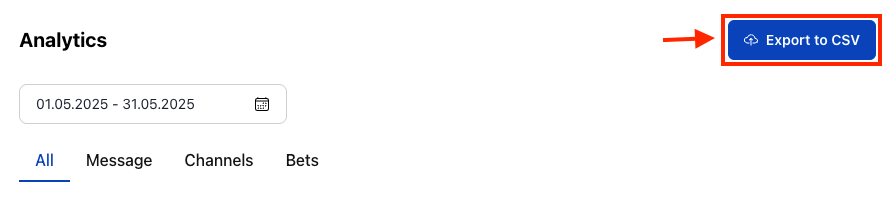
The export includes all visible data for your selected date range and filters.
#Export Content
#What Gets Exported
- All Visible Metrics: Every statistic currently displayed in your selected tab
- Selected Date Range: Data for the exact time period you've chosen
- Applied Filters: Only data matching your current operator and tab selection
- Raw Data: Numerical values behind the charts and summaries
#File Format
- CSV Format: Compatible with Excel, Google Sheets, and most data analysis tools
- Structured Data: Organized columns for easy sorting and filtering
- Timestamp Information: Date/time stamps for all data points
- Metadata: Export includes information about the date range and filters used
#Export Use Cases
#Reporting and Analysis
- Executive Reports: Create summaries for stakeholders and management
- Trend Analysis: Import into business intelligence tools for deeper insights
- Compliance Documentation: Maintain records for regulatory requirements
- Performance Reviews: Track moderation team effectiveness over time
#Data Integration
- Business Intelligence: Feed data into existing BI systems and dashboards
- Custom Analysis: Use specialized tools for statistical analysis
- Automated Reporting: Integrate with automated report generation systems
- Data Warehousing: Store historical moderation data for long-term analysis
#Best Practices
#Regular Exports
- Weekly Exports: Maintain regular backups of analytics data
- Monthly Summaries: Create comprehensive monthly performance reports
- Quarterly Reviews: Export quarterly data for strategic planning
- Annual Archives: Maintain yearly data for long-term trend analysis
#Data Management
- Organized Storage: Use consistent naming conventions for exported files
- Version Control: Track when exports were created and what period they cover
- Secure Handling: Follow data privacy requirements when storing exported analytics
- Regular Cleanup: Archive old exports to maintain organized data storage
Data Privacy
Exported analytics may contain sensitive information. Ensure proper data handling and storage according to your organization's privacy policies and regulatory requirements.